Best Mechanical Keyboard for Beginners (2026): 7 Easy Picks
We may earn a commission when you buy through links on our site, at no extra cost to you. Learn more
Quick answer
The Keychron K2 Pro is the best mechanical keyboard for most beginners: a compact 75% layout, Bluetooth for up to three devices, Mac and Windows keycaps, and hot-swappable switches so you can change feel later without soldering. The Logitech MX Mechanical Mini is the pick for a quiet office or shared desk, and the Redragon K552 is the simplest wired board to start on.
These are 7 mechanical keyboards that make sense for a first purchase, judged on switch feel, layout, wireless and Mac support, and whether you can swap switches later. We compared manufacturer specs, retailer listings and the consistent advice from keyboard guides rather than chasing enthusiast kits.
A beginner's questions are practical. Is it going to be too loud for my desk? Does it work with my Mac? Will I regret the switch type? Will a small layout make me hunt for keys? The seven boards below answer those in different ways, from a compact wireless 75% to a wired tenkeyless that costs little to try.
After the picks you will find a comparison table, a plain-English guide to switches and layouts, and the complaints owners repeat most.
Our Top Picks
Keychron K2 Pro (75%, Brown switch)9.0/10
A compact 75% wireless board with hot-swap sockets, QMK/VIA remapping and keycaps for both Mac and Windows. It does the most for a first keyboard without being a hobby project.
Read our full take ↓Keychron V1 Max (75% knob, Gateron Jupiter Brown)8.9/10
A newer gasket-mount 75% board with 2.4 GHz and Bluetooth wireless, a volume knob and softer, deeper typing sound.
Read our full take ↓Logitech MX Mechanical Mini (Tactile Quiet)7.5/10
A low-profile compact board with quiet tactile switches, smart backlighting and long battery life. The least hobbyist option here.
Read our full take ↓- Keychron K2 Pro (75%, Brown switch)Best Overall9.0
- Keychron V1 Max (75% knob, Gateron Jupiter Brown)Runner-Up8.9
- Logitech MX Mechanical Mini (Tactile Quiet)Best for Quiet Offices7.5
- Keychron K8 Pro (TKL, Gateron G Pro Brown)Best Tenkeyless8.8
- Keychron C3 Pro (TKL, wired, hot-swap)Best Wired Hot-Swap7.5
- Redragon K552 Kumara (87-key, wired)Best Budget Start5.6
- Royal Kludge RK61 (60%, hot-swap, Blue switch)Best Mini 60% Board6.5
| Product | Our score | Best for | Price |
|---|---|---|---|
| Best Overall Keychron K2 Pro (75%, Brown switch) | 9.0 | Beginners who want one board for Mac and Windows, wireless, with room to grow | Photos & price on Amazon |
| Runner-Up Keychron V1 Max (75% knob, Gateron Jupiter Brown) | 8.9 | Beginners who want a nicer typing sound and a knob, and are willing to pay for it | Photos & price on Amazon |
| Best for Quiet Offices Logitech MX Mechanical Mini (Tactile Quiet) | 7.5 | Office workers and shared desks where noise and low-profile comfort matter | Photos & price on Amazon |
| Best Tenkeyless Keychron K8 Pro (TKL, Gateron G Pro Brown) | 8.8 | Beginners who want a tenkeyless layout with a full navigation cluster and wireless | Photos & price on Amazon |
| Best Wired Hot-Swap Keychron C3 Pro (TKL, wired, hot-swap) | 7.5 | Desk users who stay plugged in and want hot-swap without paying for wireless | Photos & price on Amazon |
| Best Budget Start Redragon K552 Kumara (87-key, wired) | 5.6 | First-time buyers who want to find out whether they like mechanical keyboards for as little as possible | Photos & price on Amazon |
| Best Mini 60% Board Royal Kludge RK61 (60%, hot-swap, Blue switch) | 6.5 | Beginners curious about a very small layout who want to try one without a big spend | Photos & price on Amazon |
1. Keychron K2 Pro (75%, Brown switch) — Best Overall
- 75% layout, 84 keys
- Bluetooth 5.1, 3 devices
- Hot-swappable switches
Best for: Beginners who want one board for Mac and Windows, wireless, with room to grow
What we like
- Hot-swap sockets take 3-pin and 5-pin MX-style switches without soldering, per Keychron
- Pairs with up to three devices over Bluetooth 5.1, or plugs in by USB-C
- Comes with Mac and Windows keycaps and a system toggle switch
- QMK/VIA support lets you remap keys and record macros
Keep in mind
- Wireless polling is listed at 90 Hz, fine for typing but behind wired for fast games
- A 75% layout drops the number pad
- The linked Brown version is tactile and moderately loud; a quieter feel means swapping switches
The K2 Pro takes the 75% layout (84 keys, arrow keys and function row but no number pad) and adds the pieces beginners need. Keychron lists Bluetooth 5.1 for up to three devices, USB-C wired mode, a 4,000 mAh battery and a Mac/Windows toggle with keycaps for both systems. Because the sockets are hot-swappable, a tactile Brown switch that turns out too bumpy can be replaced with a linear one in minutes.
Keychron says the PCB accepts almost all 3-pin and 5-pin MX-style switches, so you are not locked into its K Pro switches. The keycaps are double-shot PBT, a harder plastic that resists the shiny wear spot cheaper ABS caps develop.
Remapping requires a wired connection, a quirk shared with other Keychron wireless boards. The main adjustment for new users is the function layer, since some keys sit behind Fn combinations.
Skip it if you need a number pad for spreadsheets; none of the boards here has one, so add a separate numpad or choose a full-size board. Keychron also sells a newer K2 Max, which makes the K2 Pro the earlier generation.
2. Keychron V1 Max (75% knob, Gateron Jupiter Brown) — Runner-Up
- 2.4 GHz + Bluetooth 5.1
- Gasket mount, poly plate
- Hot-swap, QMK/VIA
Best for: Beginners who want a nicer typing sound and a knob, and are willing to pay for it
What we like
- Gasket mount with a polycarbonate plate, which Keychron says reduces acoustic resonance
- 2.4 GHz wireless at a listed 1,000 Hz, plus Bluetooth 5.1 for three devices
- Hot-swap sockets for 3-pin and 5-pin MX switches
- Comes with a keycap set for both Mac and Windows
Keep in mind
- Heavier: Keychron lists about 770 g
- Costs more than the K2 Pro and the extra features matter less on a first board
- Mac users with FileVault may not be able to use it over Bluetooth at the startup login screen, per a Keychron troubleshooting note; wired mode is the workaround
The V1 Max is Keychron's "custom" board for people who have just discovered how much typing sound varies. The 75% layout, hot-swap PCB and QMK/VIA remapping match the K2 Pro, but the construction differs: a gasket mount and polycarbonate plate, listed with screw-in stabilizers and an ABS case. Keychron's listing gives 2.4 GHz and wired polling at 1,000 Hz, with Bluetooth at 90 Hz.
The Amazon listing linked here is the Gateron Jupiter Brown version, a tactile switch with a mild bump. Keychron also sells it as a barebone kit with no switches or keycaps, which is a project, not a first purchase.
The original wired Keychron V1 is the earlier version of this board, so we recommend the Max. Be aware of one Mac caveat: Apple's FileVault prevents third-party Bluetooth keyboards from opening the login screen at startup, so a wired connection or Apple's own keyboard is needed on first boot.
Skip it if you are on a tight budget; the K2 Pro or the wired Redragon K552 deliver most of the experience for less.
3. Logitech MX Mechanical Mini (Tactile Quiet) — Best for Quiet Offices
- Low-profile, Tactile Quiet
- 15 days with backlight
- Bluetooth or Logi Bolt
Best for: Office workers and shared desks where noise and low-profile comfort matter
What we like
- Tactile Quiet switches keep noise down, with Clicky and Linear options also sold
- Logitech lists up to 15 days of battery with backlighting on and up to 10 months with it off
- Pairs with up to three devices over Bluetooth Low Energy or the Logi Bolt receiver
- Low profile is easier on wrists for people used to laptop keys
Keep in mind
- Low-profile switches cannot be swapped for standard MX switches
- Rechargeable battery, no wired typing without charging first
- No hot-swap, so the switch you buy is the switch you keep
Logitech's MX Mechanical Mini is the easiest board to like on day one. It uses low-profile switches (Logitech sells Tactile Quiet, Clicky and Linear versions), a compact tenkeyless-style layout without a number pad, and backlighting that wakes when your hands approach. Logitech lists 612 g (about 21.5 oz), 312.6 mm wide and 26.1 mm thick including keycaps, and one retailer lists a 1,500 mAh battery charged over USB-C.
Battery claims are specific: up to 15 days with the backlight on and up to 10 months with it off. It connects to three devices by Bluetooth LE or the included Logi Bolt receiver and works on macOS, Windows, Linux, iOS and Android.
It is a finished product, not a platform. The low-profile switches are not the standard MX type that hot-swap boards use. That is fine if you want one keyboard for years; less fine if you want to explore sounds.
Skip it if you want to experiment with different switch types; the Keychron K2 Pro or V1 Max allow that.
4. Keychron K8 Pro (TKL, Gateron G Pro Brown) — Best Tenkeyless
- 87-key TKL layout
- 4,000 mAh battery
- Hot-swap, Gateron G Pro
Best for: Beginners who want a tenkeyless layout with a full navigation cluster and wireless
What we like
- Tenkeyless layout keeps the full navigation block and arrow keys
- Keychron lists up to 260 hours with the backlight off and about 130 hours at the lowest brightness
- Pairs with three devices over Bluetooth 5.1, plus USB-C wired mode
- Hot-swap sockets and Gateron G Pro switches, pre-lubed
Keep in mind
- Keychron lists roughly 990 g for the plastic-frame version (about 1,146 g for aluminum), which is heavy for a travel board
- Bluetooth polling is listed at 90 Hz
- A newer K8 generation exists (the K8 Max and K8 HE), so confirm which model you are buying
The K8 Pro is the tenkeyless sibling of the K2 Pro. It has 87 keys, so the function row, navigation block and arrow keys all sit where they do on a full-size keyboard, only without the number pad. Keychron lists a 4,000 mAh battery with up to 260 hours of use with the backlight off and about 130 hours at the lowest brightness, plus Bluetooth 5.1 for three devices and USB-C wired mode.
The sockets are hot-swappable, which is the key beginner safety net: if the Gateron G Pro Brown feels wrong after a week, a pack of different switches fixes it. The Amazon listing is the RGB Brown version.
Keychron lists weight at about 990 g, so it is a desk board, not a backpack board. The K8 Pro line has newer siblings (K8 Max and K8 HE), but for a first board the K8 Pro is still a good-value pick.
Skip it if you want the smallest footprint; a 75% like the K2 Pro is more compact and loses little.
5. Keychron C3 Pro (TKL, wired, hot-swap) — Best Wired Hot-Swap
- 87-key wired TKL
- Hot-swap sockets
- Gasket mount, QMK/VIA
Best for: Desk users who stay plugged in and want hot-swap without paying for wireless
What we like
- Hot-swap sockets accept 3-pin and 5-pin MX switches
- Gasket mount for a softer feel than a rigid board
- Fn + Caps Lock switches between macOS and Windows/Linux layouts, per the listing
- No battery to charge or replace
Keep in mind
- Wired only
- Listings are inconsistent about key count and casing material, so read the exact variant
- Some variants need a downloaded keymap file before VIA recognizes the board
The C3 Pro drops the battery and Bluetooth, which is exactly why it is cheaper than the K8 Pro. The Amazon listing linked here is the tenkeyless version with hot-swap sockets, a gasket-mount structure and QMK/VIA programmability, using Keychron's Super Brown switch. Some C3 Pro listings advertise polling rates up to 8,000 Hz, which only matters for competitive gaming.
For typing it is a good value: tenkeyless layout, a tactile switch, a cable that never runs out of battery and the same hot-swap sockets as the pricier boards. The listing says Fn + Caps Lock toggles between Mac and Windows layouts.
Listings differ across the C3 Pro family, with different counts of keys and casings, so check that the product page says hot-swappable before buying.
Skip it if you want to use the board with a laptop and a phone; the K2 Pro or K8 Pro offer Bluetooth.
6. Redragon K552 Kumara (87-key, wired) — Best Budget Start
- 87-key wired TKL
- Metal frame
- Red switch version
Best for: First-time buyers who want to find out whether they like mechanical keyboards for as little as possible
What we like
- Simple plug-in operation, no software needed
- Metal frame and compact 87-key layout
- Sold with blue, red and other switch options
- Anti-ghosting and a Windows-key lock for gaming
Keep in mind
- Windows-focused; listings describe limited macOS support
- Standard K552 has no wireless; a separate K552P version is listed as hot-swappable but supports only 3-pin switches
- Backlight options vary by listing (red LED, RGB or none)
The K552 Kumara is the board a lot of first-time buyers start with, and the reason is simple: it is a conventional wired tenkeyless with a metal frame and no learning curve. Redragon's listings show 87 keys, a Windows-key lock and a choice of Blue (clicky), Red (linear) and other switches. Red (linear) is the quieter choice for beginners.
The listing for this version stresses the metal frame and a beginner-friendly design. Listings describe limited macOS support, so Mac owners will be happier with the Keychron boards.
A K552P variant is listed as hot-swappable with 3-pin switches only, which adds some flexibility. Make sure you buy the one you mean to.
Skip it if you use a Mac or want Bluetooth; the Keychron K2 Pro or Logitech MX Mechanical Mini fit better.
7. Royal Kludge RK61 (60%, hot-swap, Blue switch) — Best Mini 60% Board
- 61-key 60% layout
- BT 5.0, 2.4G, USB-C
- Hot-swap on some versions
Best for: Beginners curious about a very small layout who want to try one without a big spend
What we like
- Triple-mode wireless: Bluetooth 5.0, 2.4 GHz receiver and USB-C wired
- Connects to up to three devices at once
- Very small footprint and lighter than the Keychron boards
- Some listings describe hot-swap sockets for 3-pin and 5-pin switches
Keep in mind
- Blue switch versions are clicky and loud, so check which switch the listing sells
- No arrow keys or function row, so shortcuts take Fn layers
- Third-party sites quote a 1,450 mAh battery and only about 13 hours with light backlight on one listing
The RK61 is the board to buy if you are sure you want a 60% layout, which drops the function row, navigation keys and arrow keys into Fn combinations. Amazon listings say it supports Bluetooth 5.0, a 2.4 GHz receiver and USB-C, and up to three devices at the same time. Some versions are hot-swappable, which lets you change out Blue switches if they prove too loud; check that the listing says so.
The Royal Kludge range is varied: the RK61 Plus is a different board with a larger battery and a USB hub, and other RK61 variants use different switches and lighting. Check the exact listing before ordering.
Battery numbers are third-party and vague, so treat wireless runtime as a question mark, especially with RGB lighting on.
Skip it if you code, write or use spreadsheets all day; a 60% layout makes arrow-key and function-row work slower, and the K2 Pro or K8 Pro are better.
How We Chose
We kept boards that a beginner can buy new in the US in 2026, run on Mac and Windows or say clearly where they do not, and cover different needs: wireless, quiet, wired, tenkeyless and 60%. We looked at manufacturer specs and retailer listings, and read independent guides such as TechRadar’s 2026 mechanical keyboard roundup. Recurring beginner advice across those guides is to start with a TKL or 75% layout and prefer a hot-swappable board so the first switch choice is not final.
We left out custom kits, aluminum-block boards and anything sold only as barebone. Keycap material, battery claims and polling rates come from the manufacturers’ own pages and are noted as such.
Specs That Decide the Purchase
| Keyboard | Layout | Connection | Hot-swap | Battery (maker or retailer) |
|---|---|---|---|---|
| Keychron K2 Pro | 75%, 84 keys | BT 5.1 (3 devices), USB-C | Yes | 4,000 mAh |
| Keychron V1 Max | 75% | 2.4 GHz, BT 5.1, USB-C | Yes | 4,000 mAh |
| Logitech MX Mechanical Mini | Compact TKL, low-profile | BT LE or Logi Bolt, USB-C charge | Not listed | 1,500 mAh |
| Keychron K8 Pro | TKL, 87 keys | BT 5.1 (3 devices), USB-C | Yes | 4,000 mAh |
| Keychron C3 Pro | TKL, 87 keys | USB-C wired | Yes | — |
| Redragon K552 | TKL, 87 keys | USB wired | Varies by variant (3-pin only) | — |
| Royal Kludge RK61 | 60%, 61 keys | BT 5.0, 2.4 GHz, USB-C | Varies by version | About 1,450 mAh (third party) |
Weight is listed at about 990 g for the K8 Pro (Keychron), about 770 g for the V1 Max (Keychron) and 612 g for the Logitech (Logitech).
Switch Types in Plain English
Linear switches go straight down with no feedback. Tactile switches have a small bump partway down that tells you the key has registered. Clicky switches add a loud click on top of the bump. Browns are the common tactile choice, Reds are linear and Blues are clicky. Quiet versions of each add dampening. For shared spaces, pick a quiet tactile or a silent linear.
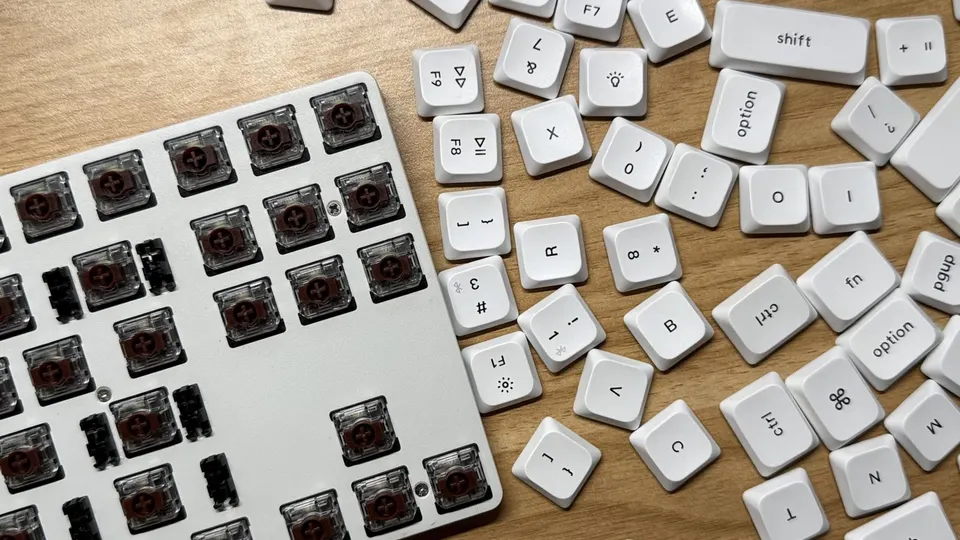
Hot-swap boards let you test these differences later. A set of replacement switches costs far less than a second keyboard, and a switch puller is the only tool you need.
Common Complaints and How to Avoid Them
Owners of beginner boards mention three things again and again. First, the learning curve of the function layer on 60% and 75% boards, where some keys move to Fn combinations. Choose a TKL if that bothers you. Second, the noise, which is mostly a switch decision: pick quiet tactile or linear if you share a room. Third, Mac setup: use a board with a Mac layout toggle and remember wired mode if FileVault is on.
Which Layout and Pick Fits Which Desk
At a small laptop desk with a mouse, a 75% such as the Keychron K2 Pro keeps your hand close to the touchpad or mouse. In a shared office, the Logitech MX Mechanical Mini is the easiest board to live with. At a fixed desktop that rarely moves, a wired C3 Pro or K552 removes batteries from the equation. For a person who types numbers all day, pair any of these with a separate number pad or choose a full-size board.
If you are shopping for someone else, see our tech gifts under $100 and our gifts for people who work from home. For a computer to go with the keyboard, our best Chromebook under $500 and best laptop for seniors guides cover the main options.
Frequently Asked Questions
Which switch is best for a beginner, linear, tactile or clicky?
Tactile is the usual starting point: it gives a small bump you can feel when the key registers, without much noise. Linear switches are smooth and quiet but give no feedback. Clicky switches add an audible click and are best for people who work alone. If you are unsure, buy a hot-swap board and change switches later.
Do I need a hot-swappable keyboard?
Not strictly, but it removes the risk of picking the wrong switch. Hot-swap sockets let you pull a switch out and push a different one in without soldering. The Keychron K2 Pro, V1 Max, K8 Pro and C3 Pro all have them.
What is the difference between 75%, TKL and 60% layouts?
A TKL or 80% board removes only the number pad. A 75% keeps the function row and arrows in a tighter block, and a 60% removes the function row, arrows and navigation keys, putting them on Fn layers. For most beginners a 75% or TKL is the sweet spot.
Are mechanical keyboards too loud for an office?
It depends on the switch and the build. Clicky switches are loudest. Tactile Quiet and silent linear switches and padded or gasket-mount builds are much calmer. Logitech sells the MX Mechanical Mini with Tactile Quiet switches.
Do these keyboards work with Mac?
The Keychron boards ship with Mac and Windows keycaps and a system switch, and Logitech lists macOS support. Redragon listings describe limited macOS support. On a Mac with FileVault, Bluetooth keyboards may not work at the startup login screen on some Macs, so keep a wired option on hand.
Wired or wireless for a first mechanical keyboard?
Wired is simpler and has no battery or latency concerns. Wireless is more flexible if you switch between a laptop and a tablet. Most Keychron boards offer both, though remapping keys needs a cable.
Final Verdict
For most beginners the Keychron K2 Pro is the best first mechanical keyboard: compact, wireless, Mac-friendly and hot-swappable, so a wrong switch choice is fixable. The Keychron V1 Max is the nicer-sounding upgrade, the Logitech MX Mechanical Mini suits quiet offices, and the Keychron K8 Pro and C3 Pro cover tenkeyless wireless and wired hot-swap. The Redragon K552 and Royal Kludge RK61 are cheap ways to test a layout before committing.
Sources We Checked
Specs and features in this guide come from these manufacturer pages and independent sources, checked on Oct 31, 2026.